How I film yoga classes in my home for YouTube
Practice summary
- Video length
- 2:20
Transcript
filming for my YouTube channel today so let's do it together I usually film against this back wall here and at the moment there's a bit of furniture there so I will move those out of the way I usually have my camera set up around here that means that there's a good amount of space between me and the camera so let's get that set up now if you're going to be filming for a YouTube channel particularly something like Pilates or yoga that you've got plenty of space and I'm going to get my camera and lighting set up so the first light I'm setting up is this one a big light bulb inside it I kind of have it coming in at an angle as you get all these like really black Shadows behind you gu it works if you have a ton of natural light in the space that you're filming and you won't need all of these extra lights everything I got was second hand as well filming equipment is really expensive and I just cannot afford that t that works okay now that I've got my space set up I need to set up my camera this is like a Lumix camera switch it on other things that you need are an SD card so that plugs into the side of the camera here and that basically saves everything that you filmed and then I can transfer it from the card to my laptop where I can then edit the footage just sort of pops in and then you close that other piece of equipment that you need is a microphone so I have got a row mod Wireless go you need one that will plug into the camera and then one that you plug into yourself you can see it's got a screen on it and it shows you how much battery on the microphone in like that so I just need to make sure that the angle of the camera fits in for the frame so I'm going to switch the camera on and you can see now it's filming just use this little thing here and you can see it zooms out and in and that looks good to me so now all I've got to do is set up my iPhone which I'm going to set up on just on this tripod here so that I get a nice side angle I can cut between the two frames so that's pretty much how I set up my camera and space my channel is still small and I'm still plugging away at it everything is still you know work in progress hopefully you found this helpful I'll see you soon
More practice
 Bridge Pose IN Yoga: with proper alignmentYYOGA at Home — yoga classes + tutorials · 7:25
 How to do Dancer's Pose (Correctly — and with stability!)YYOGA at Home — yoga classes + tutorials · 3:07
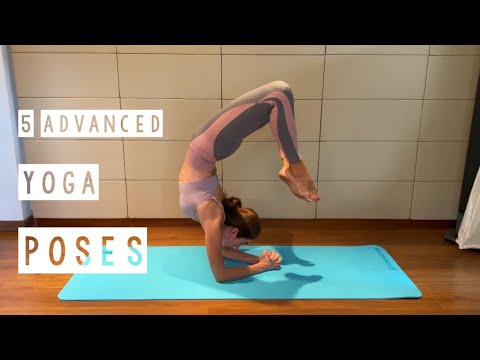 5 Advanced Yoga Asanas to Practice at Home 🧘♀️ · Master Challenging Poses with Sanskrit NamesSveta Ananda Yoga
 5-minute yoga for teens with Jess · Improve strength and flexibilityNuffield Health · 6:27
 50 Must-know Beginner Yoga Poses · Yoga for beginnersYoga with Uliana · 4:58